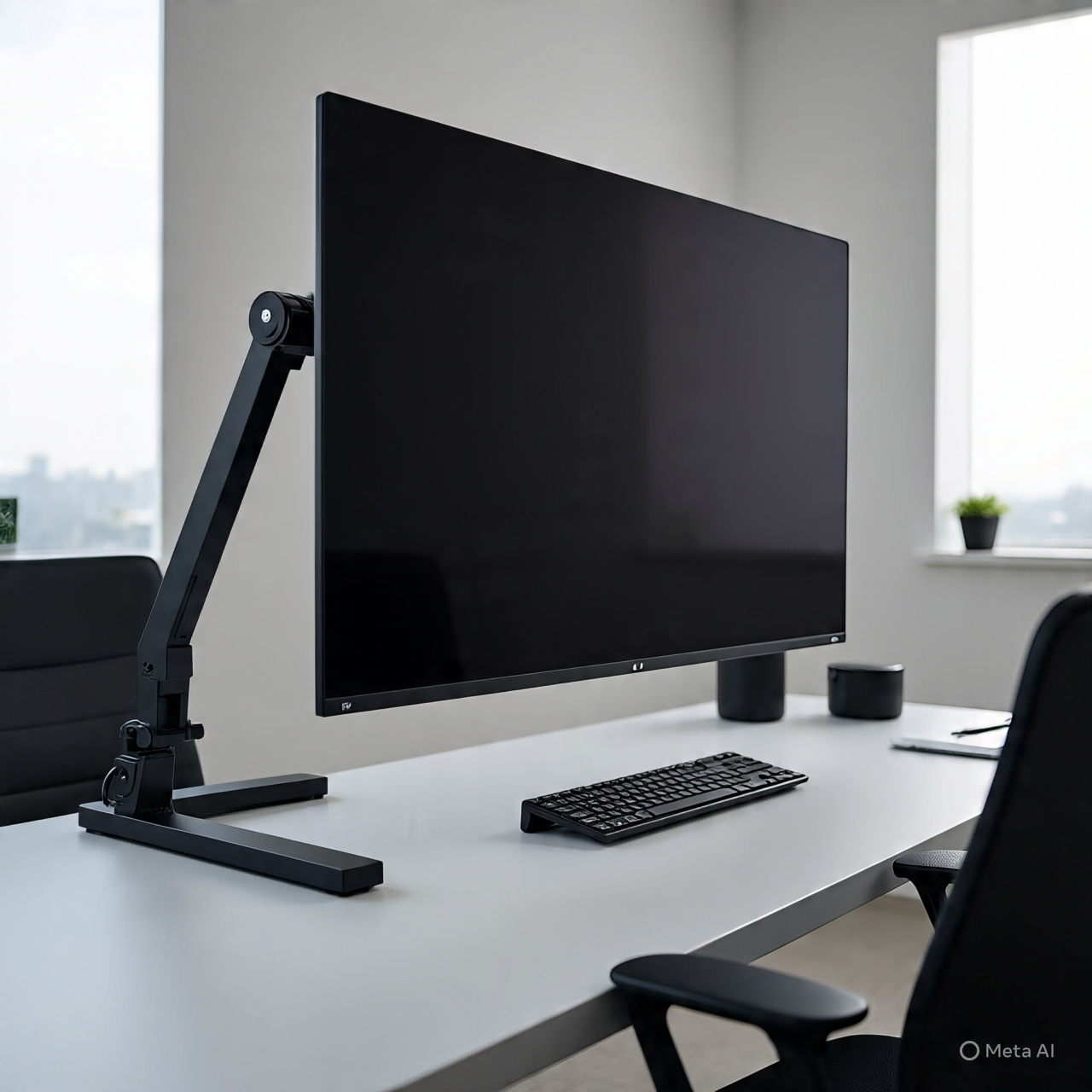
FlexiSpot Ultrawide Monitor Arm Guide
Introduction
A FlexiSpot Ultrawide Monitor Arm is designed for users who need stronger support for large 17 to 49 inch monitors, especially ultrawide gaming or productivity screens. The most important things to check are weight capacity, stability, gas spring adjustability, VESA compatibility, and desk mounting strength. With support up to 44 lbs, this model is aimed at heavy curved ultrawides that standard monitor arms often struggle to hold.
—
Best Overall
FlexiSpot Ultrawide Monitor Arm 17 to 49 inch 44 lbs
This is the best pick if you want a balance of heavy-duty support, ergonomic adjustment, and better value than premium enterprise brands. It supports large monitors up to 49 inches and includes gas spring height adjustment, clamp/grommet mounting, and 75×75 / 100×100 VESA support.
—
Premium Alternative
Ergotron HX Heavy Duty Monitor Arm
A top-tier option known for exceptional stability with heavy curved ultrawides. Often recommended for premium 49-inch setups where sag prevention matters most.
—
Budget Alternative
VIVO Premium Heavy Duty Ultrawide Monitor Arm
Good lower-cost option if you need strong support but don’t want to pay premium-brand pricing.
—
Product Comparison Table
Attribute FlexiSpot Ultrawide Monitor Arm 17 to 49 inch 44 lbs Ergotron HX Heavy Duty Monitor Arm VIVO Premium Heavy Duty Ultrawide Monitor Arm
Screen Size Support 17–49 in Up to 49 in Up to 49 in
Max Weight 44 lbs 42 lbs 44 lbs
Mount Type C-clamp + Grommet Clamp / Grommet Clamp + Grommet
Adjustability Gas spring full motion Premium smooth motion Full motion
Best For Best value overall Maximum stability Budget heavy-duty
Price Level Mid-range Premium Budget-mid
—
What to Consider Before Buying
🔹 Weight Matters More Than Inches
Many people focus only on screen size, but actual monitor weight matters more than inches. Some 49-inch curved monitors can be very heavy. Reddit users often mention this when choosing ultrawide arms.
🔹 Desk Strength
If using MDF or thin desks, use reinforcement plates or wood blocks. Heavy monitor arms can stress desk edges.
🔹 Standing Desk Wobble
Any arm can amplify desk wobble slightly on sit-stand desks, especially with typing movement.
—
Pros & Cons
✅ Pros
Supports heavy ultrawide monitors
Frees desk space
Better posture and eye-level adjustment
Clamp and grommet options included
Strong value vs premium brands
❌ Cons
Heavy monitors need solid desk surface
May wobble slightly on standing desks
Setup takes longer than regular stands
Premium models may feel smoother
—
Final Recommendation
If you want a strong ultrawide arm without paying Ergotron prices, the FlexiSpot Ultrawide Monitor Arm is the smartest balanced choice. If you own a very expensive 49-inch curved monitor and want maximum confidence, choose Ergotron HX. If budget matters most, choose VIVO Heavy Duty.

Reviews
There are no reviews yet.